Why Local Processing Matters for Your Privacy
Understanding the difference between local and cloud-based privacy tools.
2026-06-16
Updated 2026-07-13
Why Local Processing Matters for Your Privacy
In an era of cloud computing, it might seem odd to emphasize local processing. But when it comes to your privacy, local is always better. Here's why.
The Cloud Processing Problem
Traditional privacy tools often process your data in the cloud:
- Your screenshots are uploaded to servers
- Sensitive information is transmitted over the internet
- Data is stored temporarily (or permanently)
- Multiple parties have access to your information
This creates security risks and privacy concerns.
Local Processing Benefits
When processing happens on your device:
- No data leaves your computer
- No internet connection required
- Processing is immediate
- You maintain complete control
Technical Implementation
Modern browsers support hardware-accelerated image processing through WebGL and Canvas APIs. This allows complex operations like image blurring to happen instantly on your device without cloud services.
Real-World Example
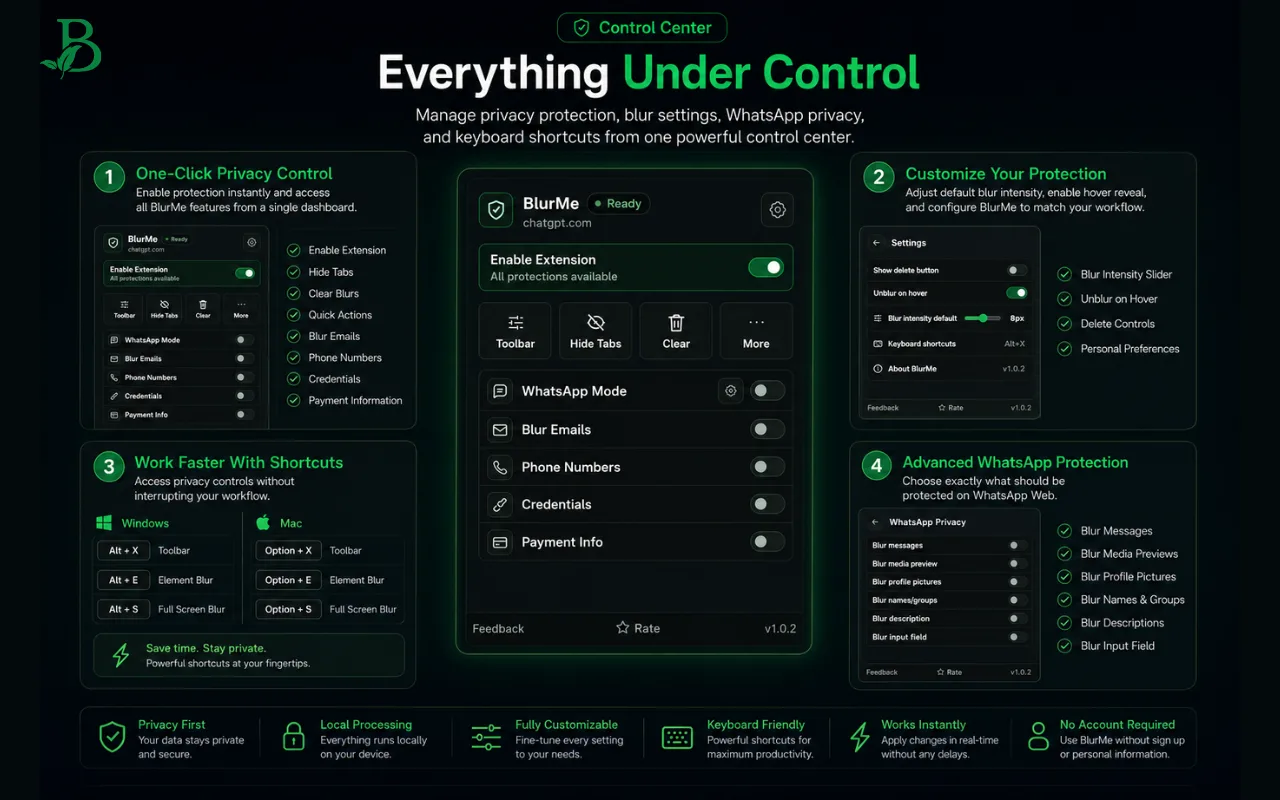
Consider BlurMe: When you blur an area of your screen, the processing happens entirely in your browser. Your unblurred screen never leaves your device.
Why Local Processing Is Especially Important For Screen Sharing
Screen sharing is different from editing a screenshot after the fact. The sensitive information is live, time-sensitive, and often visible before you realize it. If a privacy tool has to upload a frame to a server before masking it, that creates a second privacy problem: the thing you were trying to hide has already left your device.
Local processing avoids that tradeoff. The browser applies the blur where the content is rendered, so the raw screen content does not need to be sent to BlurMe, a storage bucket, or an external image-processing service. That is why local processing is a product design decision, not just a technical detail.
Local Processing vs Cloud Redaction
Cloud redaction can make sense for stored documents, large media files, or workflows where a team intentionally uploads content for review. Screen sharing is different because speed and exposure matter at the same time.
For live demos, local processing has three practical advantages:
- Less exposure: sensitive content does not need to be uploaded for masking
- Faster response: blurs can be applied during the call instead of after a recording is exported
- More control: you decide what is visible on your own device before anyone else sees it
This is also why features like hide ChatGPT sidebar history during screen recording, blur WhatsApp Web chats before screen sharing, and hide browser tabs during meetings work best as browser-side controls.
What To Look For In A Local Privacy Tool
Before trusting a screen privacy tool, check for these signals:
- It explains whether content is processed locally or uploaded
- It works without requiring unnecessary account access
- It lets you reveal content privately when needed
- It persists across refreshes so protection is not lost mid-demo
- It can cover both page content and surrounding browser UI
FAQ
Does local processing mean no internet is used at all?
Not always. A browser extension may still need the internet for normal installation, updates, or website loading. The key privacy question is whether the sensitive screen content itself is uploaded for processing.
Why is local processing better for client demos?
Client demos often include customer names, account data, internal metrics, and chat history. Keeping the blur operation on-device reduces the number of systems that ever touch that information.
Is local processing enough by itself?
No. It should be paired with good habits: use demo accounts, mute notifications, share the smallest necessary window, and run the screen sharing privacy checklist before client demos.
The Future of Privacy
As privacy regulations tighten (GDPR, CCPA, etc.), local processing becomes increasingly important. Companies that respect user privacy through local processing will gain customer trust.
Related BlurMe Guides
Local processing matters most when sensitive data is visible in real time. For practical workflows, see how to blur sensitive information while screen sharing, hide ChatGPT sidebar history during screen recording, blur WhatsApp Web chats before screen sharing, and hide browser tabs during meetings.
Sources
- Google Chrome Help, Install and manage extensions, https://support.google.com/chrome/answer/2664769?hl=en
- Google Chrome Help, Change site settings permissions, https://support.google.com/chrome/answer/114662?co=GENIE.Platform%3DDesktop&hl=en