Now available on Chrome Web Store
Hide Private DetailsBefore Anyone Sees Them
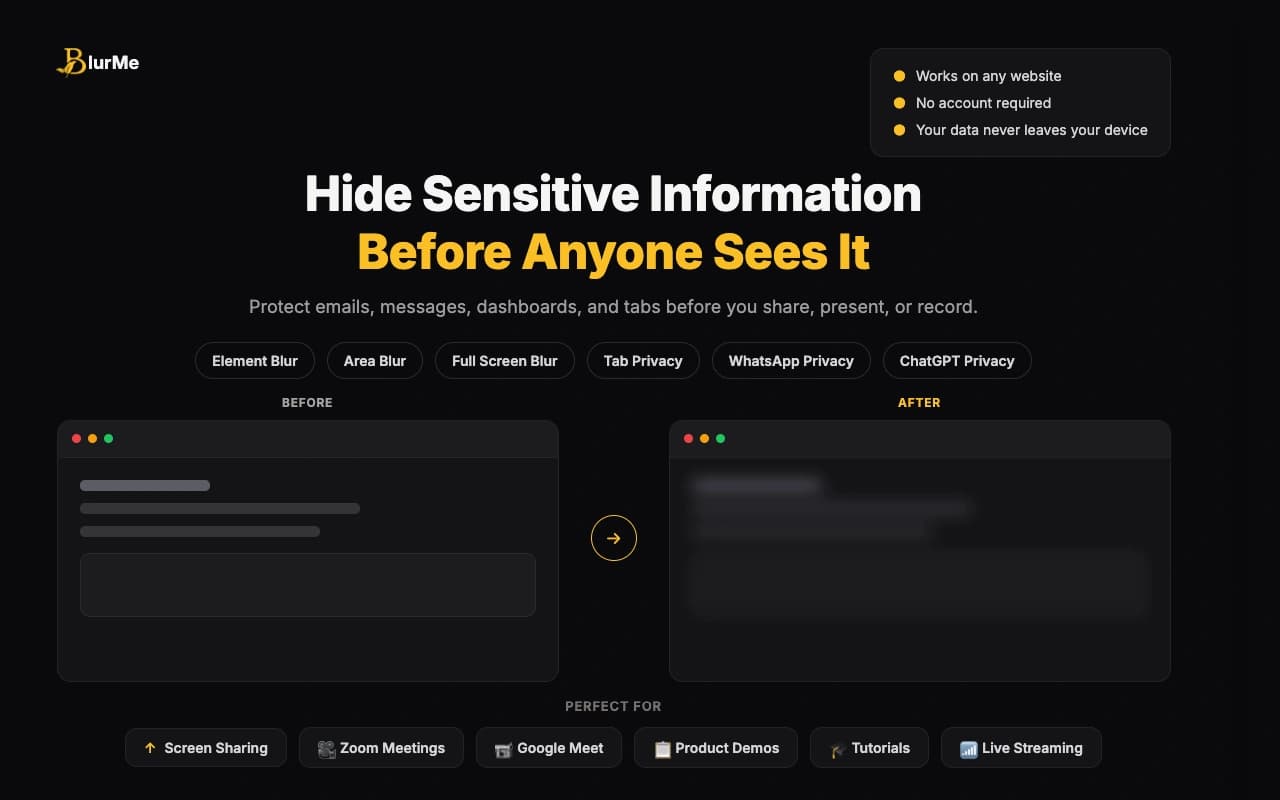
Blur emails, phone numbers, credentials, payments, tabs, WhatsApp chats, and any part of a webpage before a meeting, recording, demo, or live stream.
Works on Chrome — Firefox, Edge & Safari coming soon
Perfect for Every Scenario
Whether you're presenting, pair programming, or interviewing, BlurMe keeps your sensitive data safe.
Screen Sharing
Keep emails, tabs, dashboards, and messages covered while everyone watches.
Zoom Calls
Move through real pages without worrying about names, chats, or account details.
Google Meet
Show the work, not the customer data sitting around it.
Slack Huddles
Jump into quick team calls with private tabs and messages already handled.
Product Demos
Walk through live-looking flows while keeping client and revenue details hidden.
Pair Programming
Protect credentials, tokens, project names, and internal tabs while collaborating.
Consulting Calls
Share useful context with clients while respecting every other client on screen.
Recordings & Tutorials
Record cleaner walkthroughs without editing out sensitive information afterward.
Powerful Features, Simple to Use
Use quick blur controls for what you choose, and smart modules for the details you never want to leak.
Area Blur
Draw a custom blur box over dashboards, tables, documents, or any part of a page.
Element Blur
Click one page element to hide a name, email, card, message, table row, or image instantly.
Full Screen Blur
Blur the visible page with one click when something private appears during a live call.
Tab Privacy
Mask tab titles and replace favicons so project names, docs, and inbox counts stay private.
WhatsApp Privacy Mode
Protect WhatsApp messages, names, groups, profile photos, media previews, and input fields.
Smart Privacy Modules
Switch on protection for emails, phone numbers, credentials, payment info, and addresses.
Persistent Protection
Saved blurs restore after refresh, so private content does not flash back into view.
Control Center
Manage the toolbar, tab hiding, blur clearing, WhatsApp mode, shortcuts, and defaults in one place.
Built for the messy moments
Real screen sharing is not tidy. BlurMe gives you fast controls for the parts you planned to hide and the details that appear unexpectedly.
Live in the extension
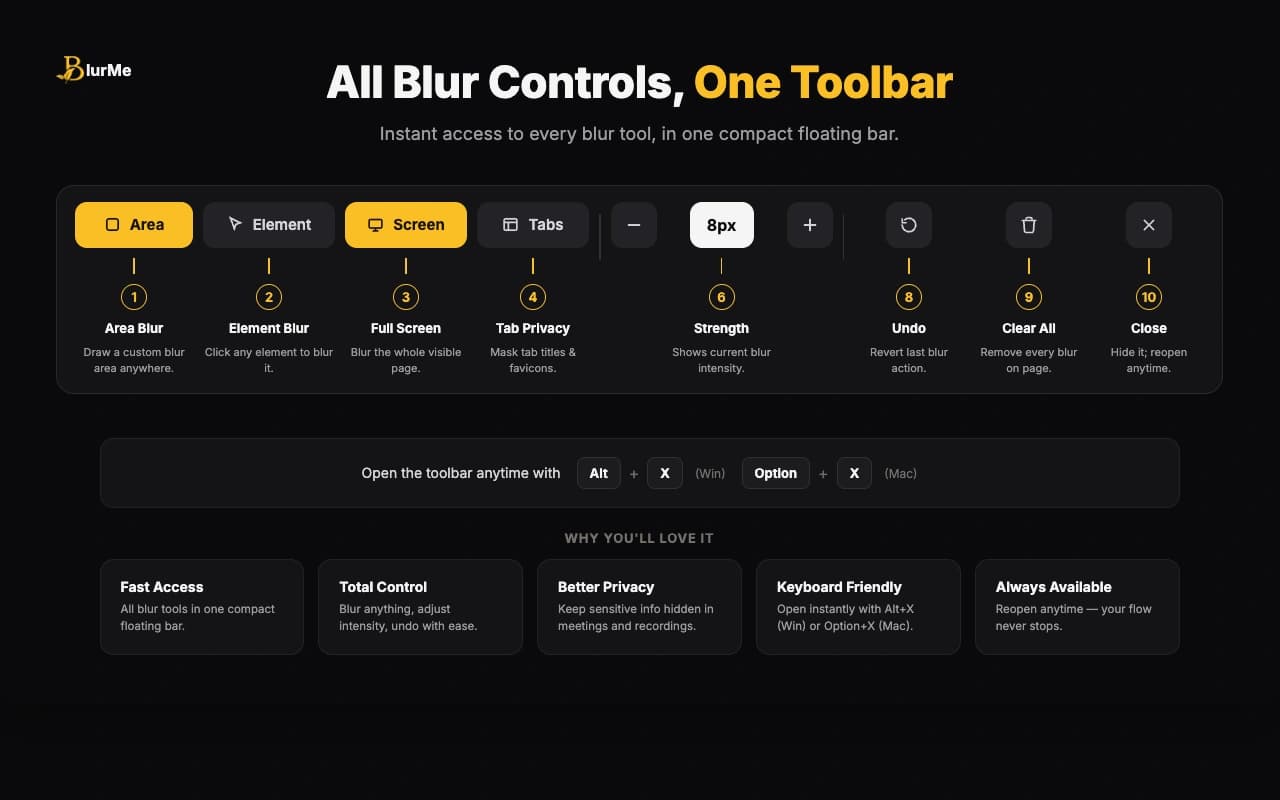
One toolbar for every blur action
Area blur, element blur, full screen blur, tab privacy, intensity, undo, clear, and close all live in one floating toolbar. It stays out of the way until you need it.
Live in the extension
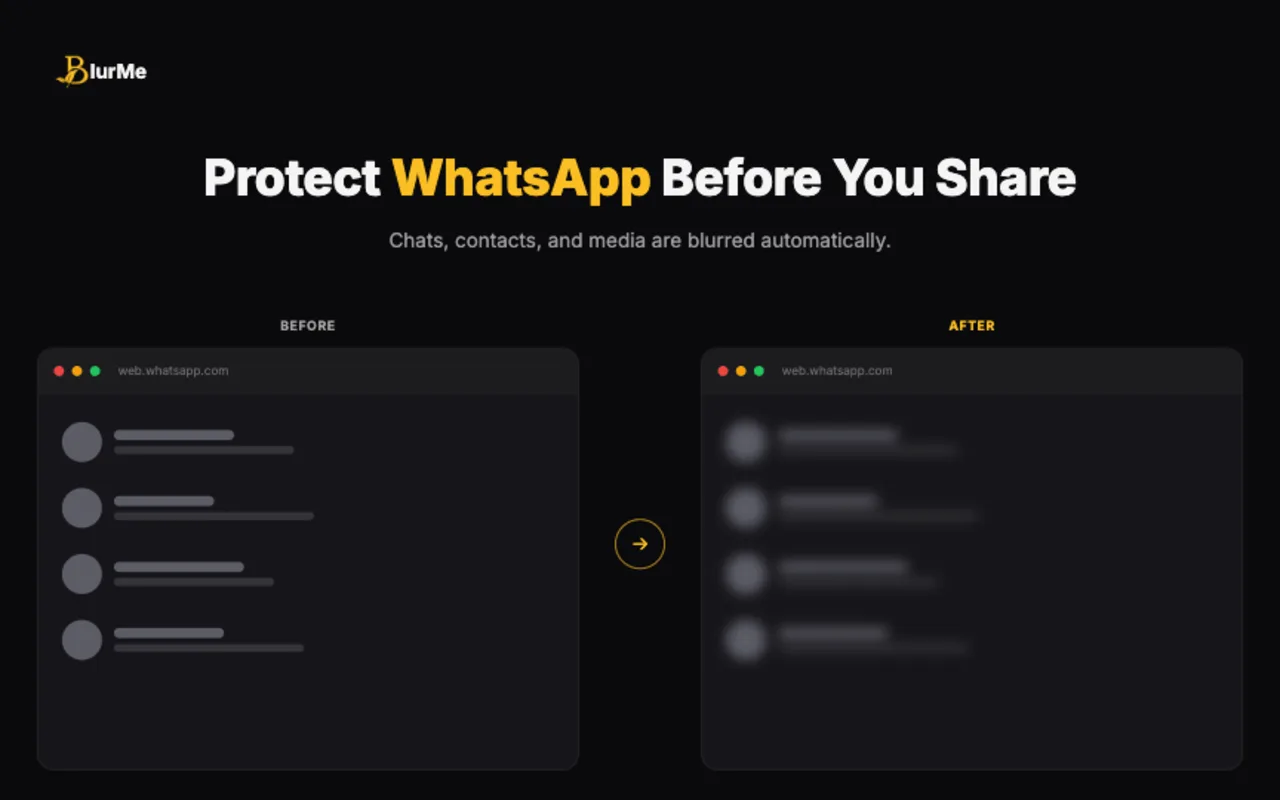
WhatsApp stays private while you keep working
BlurMe can protect WhatsApp Web messages, names, groups, profile photos, media previews, descriptions, and input fields so a quick share does not expose a private conversation.
How It Works
Set up your protection before the call, then handle surprises without breaking your flow.
Install BlurMe
Add the Chrome extension and keep the popup ready for meetings, demos, and recordings.
Turn on what you need
Enable tab privacy, WhatsApp mode, or modules for emails, phones, credentials, payments, and addresses.
Blur anything else
Use the toolbar to blur an area, a page element, or the full visible page in the moment.
Share with less stress
Your page stays useful for viewers while private details stay covered on your device.
Frequently Asked Questions
Have questions? We've got answers. Check out our FAQ or reach out to our team.
Live Privacy Modules
BlurMe does more than manual blur. Turn on focused protection for the private details that tend to slip into real meetings.
Email Protection
LiveHide email addresses before they appear in demos, inboxes, CRMs, support tools, and shared dashboards.
Phone Number Protection
LiveKeep customer and team phone numbers out of view during calls, recordings, and walkthroughs.
Credentials Protection
LiveProtect usernames, account identifiers, API keys, tokens, and login fields when you need to share fast.
Payment Info Protection
LiveBlur payment details, financial fields, order screens, and other high-risk information.
Address & Private Detail Protection
LiveCover addresses, project details, private notes, and other personal information before viewers notice it.
WhatsApp Privacy Mode
LiveBlur messages, names, groups, profile photos, media previews, descriptions, and input fields on WhatsApp Web.
Loved by Privacy-Conscious Users
See what people are saying about BlurMe on the Chrome Web Store.
“Great extension with a clean and intuitive UI. It works smoothly and effectively hides sensitive information during screen sharing. The setup is simple, performance is fast, and it solves a real problem for developers and professionals.”
Ashutosh Kumar
Chrome Web Store review
“Very useful extension! It works perfectly for hiding sensitive information quickly while I'm sharing my screen. Highly recommend it.”
Krishnakant Jha
Chrome Web Store review
“Works really well. I haven't expected this much of features in this kind of small extension. It's really amazing.”
Santosh Kumar
Chrome Web Store review
Ready to ShareWithout Worrying?
Add BlurMe to Chrome and keep sensitive content covered during demos, calls, and recordings.
Local
Processing
No
Account Required
Any
Website