Team Collaboration Without Compromising Privacy
How to enable effective teamwork while protecting sensitive information.
2026-06-14
Updated 2026-07-13
Team Collaboration Without Compromising Privacy
Effective teamwork doesn't mean exposing everything. Here's how to collaborate securely.
The Collaboration Privacy Paradox
Teams need to share information, but not all information. The challenge is creating a culture where:
- Knowledge sharing is encouraged
- Privacy is respected
- Security is maintained
- Trust is built
Establishing Privacy Norms
Clear Data Classification
- Mark sensitive data clearly
- Define what can be shared publicly
- Create escalation paths for exceptions
- Document your policy
Secure Communication Channels
- Use encrypted messaging
- Prefer synchronous for sensitive topics
- Archive appropriately
- Audit access regularly
Tools for Secure Collaboration
Modern collaboration tools should:
- Encrypt data in transit and at rest
- Provide granular access controls
- Support audit logging
- Respect user privacy
Screen Sharing in Team Settings
When teams screen share:
- Establish sharing guidelines
- Use demo accounts instead of real data
- Have peer review before customer demos
- Keep sensitive windows hidden
Collaboration Needs Visibility Boundaries
Good collaboration is not maximum visibility. It is the right visibility for the right audience. A product manager may need to show a roadmap without exposing unrelated customer requests. A founder may need to demo analytics without revealing revenue by customer. A support lead may need to share a bug report without showing another user's email address.
The practical goal is to define visibility boundaries before the meeting starts:
- What can everyone see?
- What can only the presenter see?
- What should never appear in the shared view?
That small distinction turns privacy from a personal habit into a team workflow.
Team Demo Rules That Actually Work
Instead of asking people to remember everything, create a default demo routine:
- Use a shared demo workspace for customer-facing calls
- Keep internal documents and chat apps in a separate browser profile
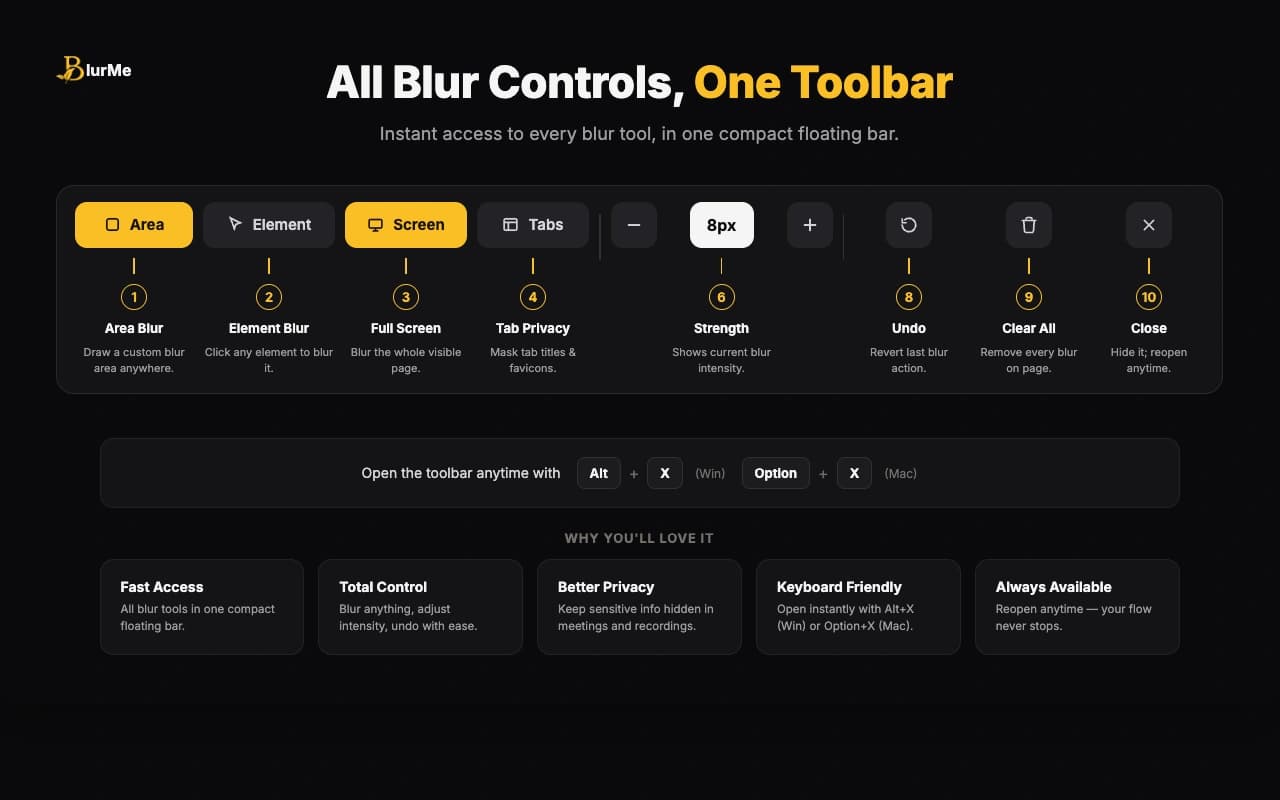
- Turn on tab masking before joining the call
- Blur dashboards, names, and account data before sharing
- Assign one teammate to watch for accidental exposure during high-stakes demos
This is especially useful for sales, customer success, agencies, and developer teams that show work in progress. The goal is not to slow the team down. It is to make the safer path the default path.
What Teams Should Document
A lightweight screen-sharing policy should include:
- Approved demo accounts or sample datasets
- Rules for recording calls
- What to do if sensitive data is accidentally shown
- Which tools to use for tab privacy and real-time blur
- A pre-demo checklist for customer-facing calls
Linking that policy to the screen sharing privacy checklist before client demos gives everyone a shared starting point.
FAQ
How do teams prevent accidental data leaks during demos?
Use demo accounts, reduce the shared surface area, mask browser tabs, blur sensitive content, and agree on a repeatable checklist before customer-facing calls.
Who should own screen-sharing privacy on a team?
The presenter owns the final screen, but team leads should define the process. Privacy improves when the workflow is documented instead of left to personal memory.
Is this only important for external meetings?
No. Internal meetings can also expose HR data, unreleased product plans, customer issues, or financial metrics to people who do not need that context.
Building a Privacy-Conscious Culture
Privacy isn't just technical—it's cultural:
- Train team members on data handling
- Lead by example
- Celebrate privacy improvements
- Make tools easy to use
Related BlurMe Guides
Teams that share screens often should standardize around the screen sharing privacy checklist before client demos. For specific risks, add how to blur sensitive information while screen sharing, hide browser tabs during meetings, and hide ChatGPT sidebar history during screen recording to your internal demo process.
Sources
- CISA, Guidance for Securing Video Conferencing, https://www.cisa.gov/sites/default/files/publications/CISA_Guidance_for_Securing_Video_Conferencing_S508C.pdf
- Google Chrome Help, Install and manage extensions, https://support.google.com/chrome/answer/2664769?hl=en